


December updates
Key changes
Global search function 🔎
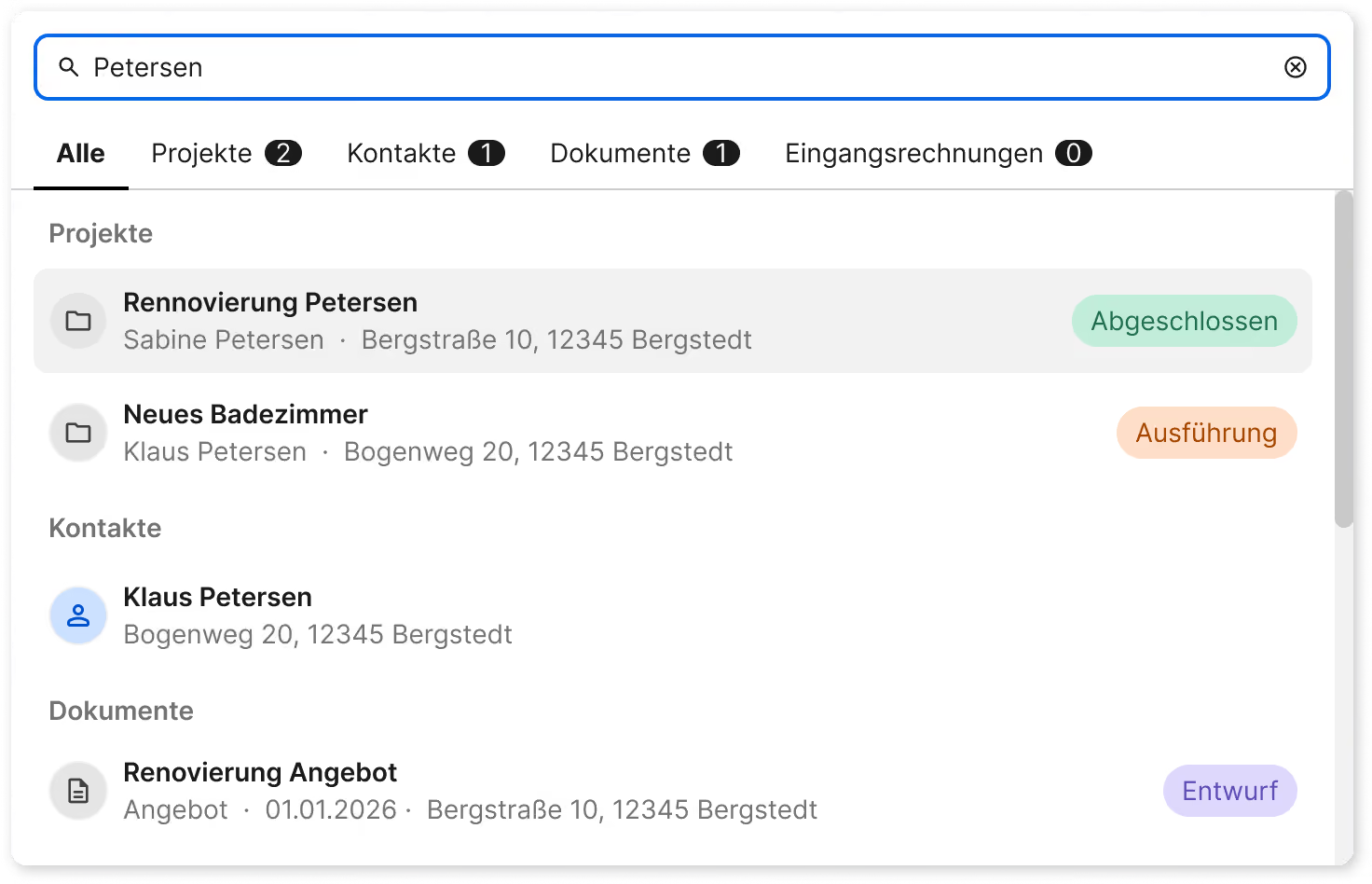
With the new global search, you can centrally find projects, contacts, documents, and incoming invoices. It also searches phone numbers, project descriptions, and other details so you can quickly find all relevant results.
The search is accessible from anywhere in the top left of the main menu and can be opened at any time with Ctrl + K (Mac: ⌘ + K).
New role: Mobile Team Lead 👨🏼🔧
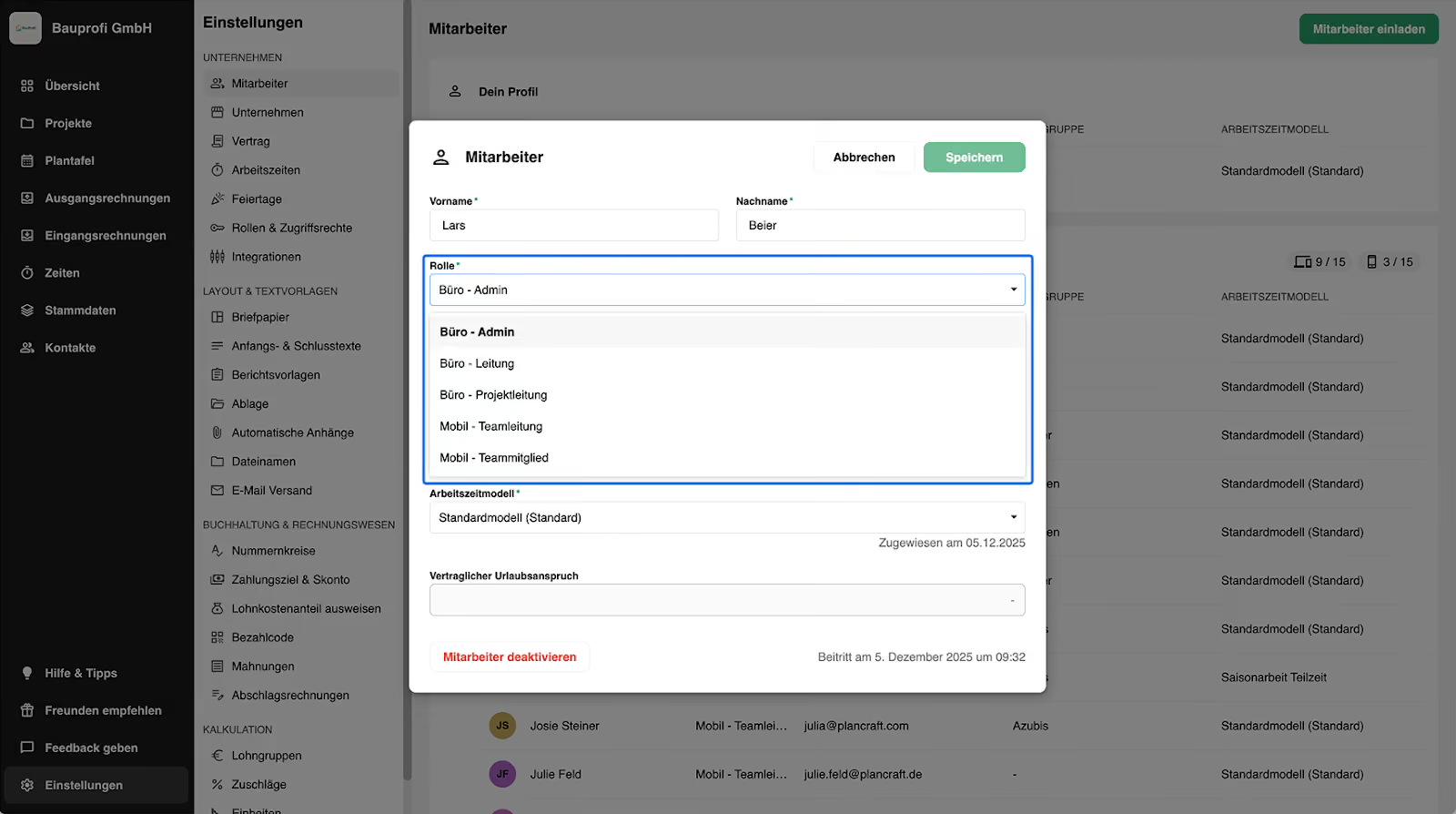
We have expanded plancraft roles to include "Mobile Team Lead."
You can assign this role to employees with a mobile license. This allows them to track time for other team members in the mobile app – ideal if not everyone on the job site needs to log their own time.
In the settings, you define who on the team handles the tracking. This saves you from unnecessary checks and gives your team more time for work on-site.
You can find more information about roles & access rights in our help article here.
Save items directly as master data 💾
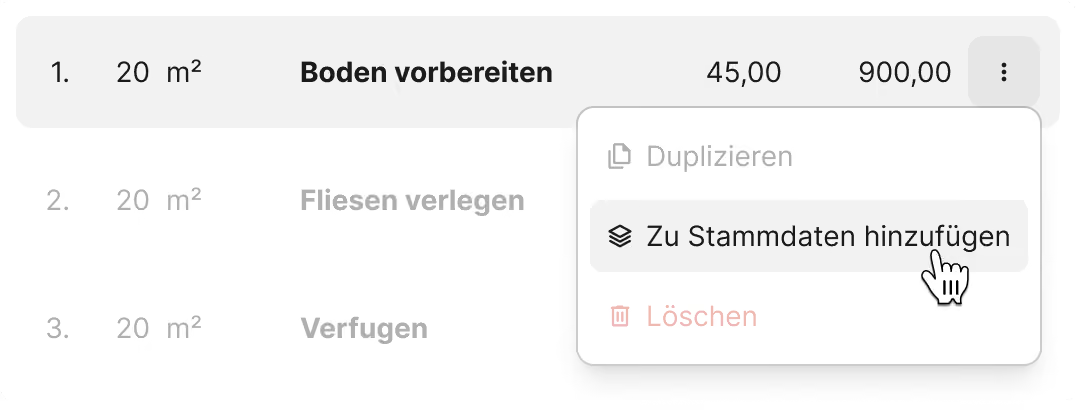
You can now add services and materials directly from the editor to your master data – no detours required.
To do this, open the three-dot menu for an item and select "Add to master data." Specify whether it is a material or a service, choose the storage location, and adjust the details if necessary.
This makes frequently used items immediately available for your next document.
You can find more information on creating master data in our help article.
Sharing documents via a share link 🔗
When you send a document via plancraft, it will now be sent via email with a share link. This ensures that even large attachments arrive without any issues. If needed, you can also attach the document to the email as a PDF.
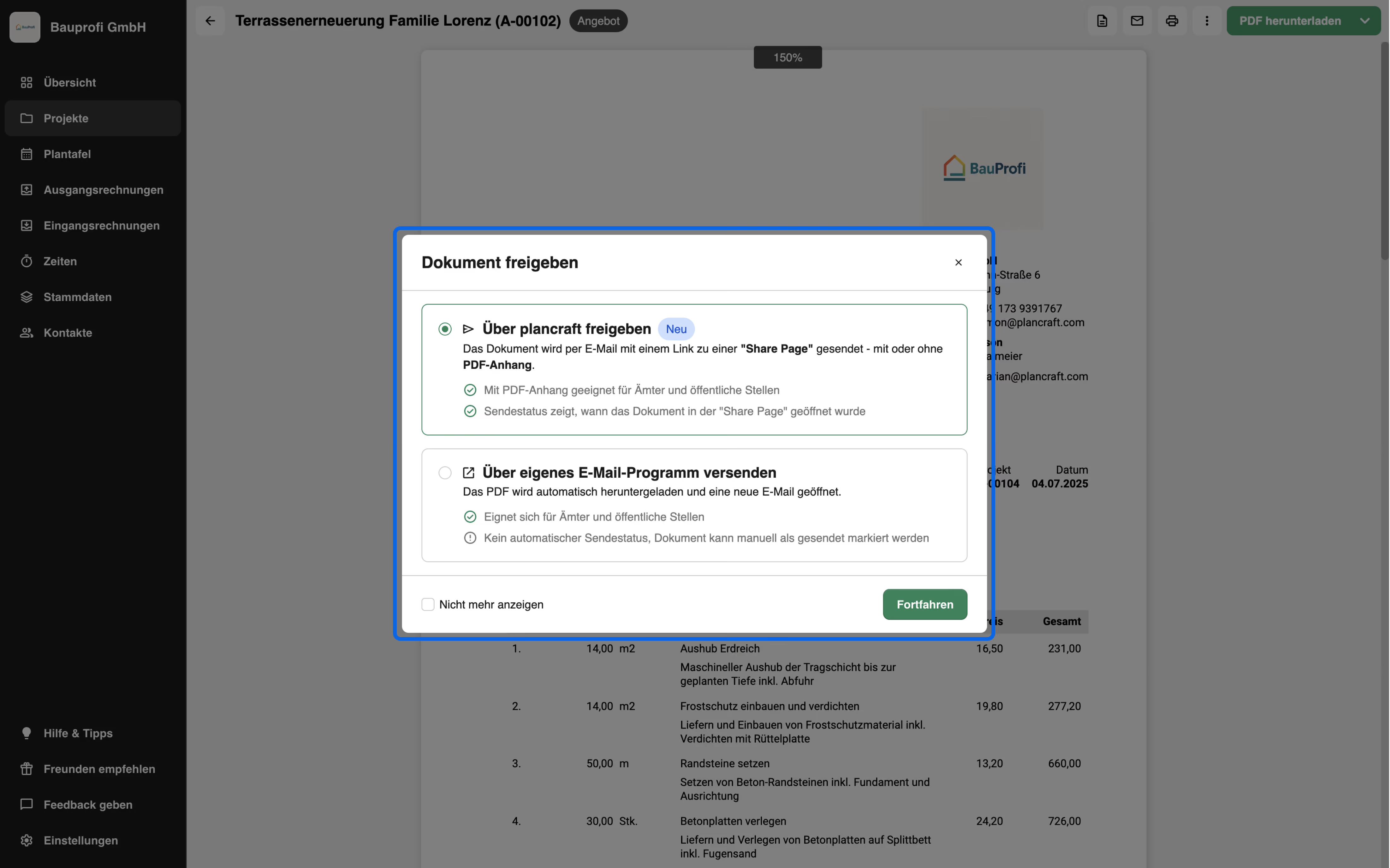
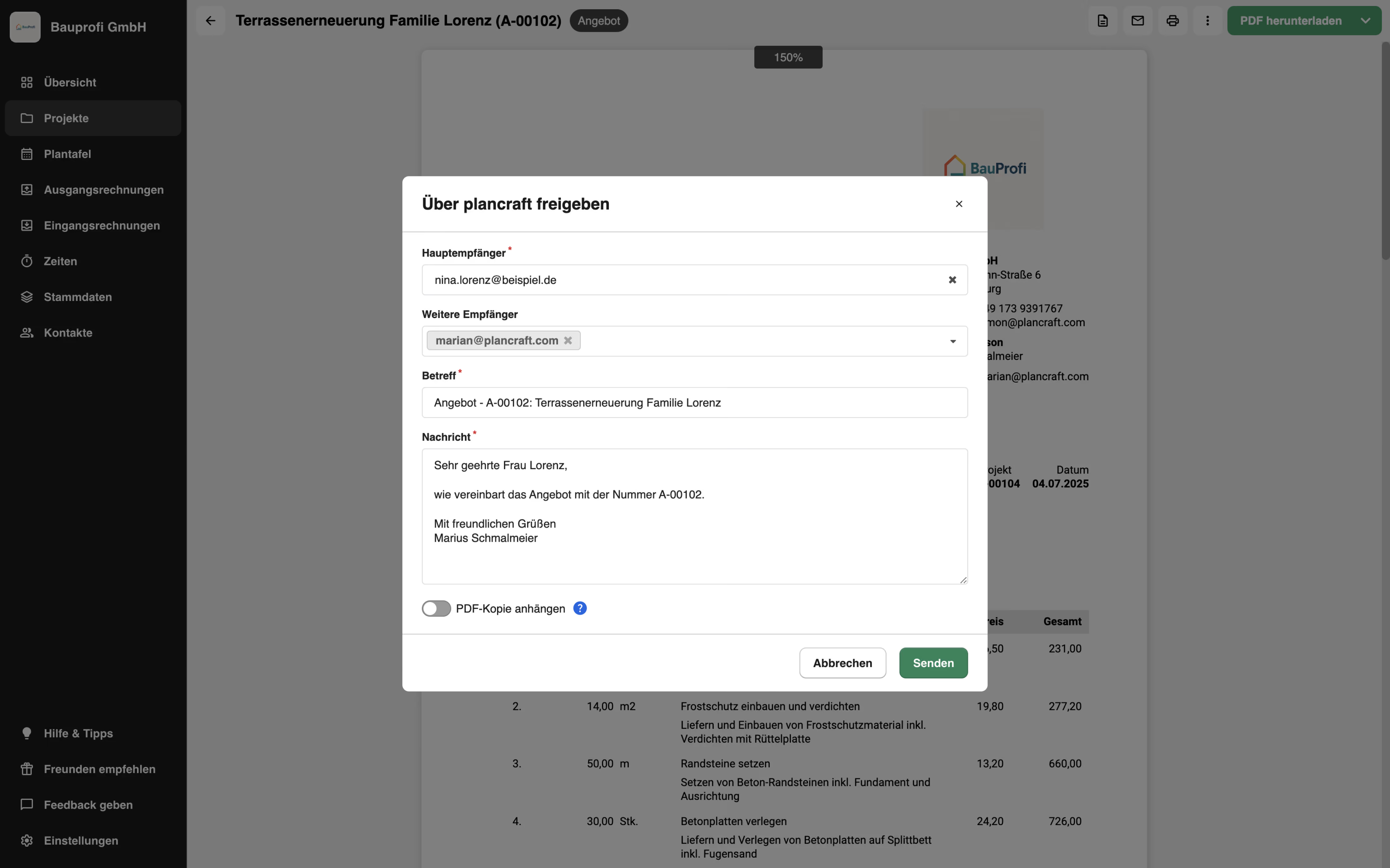
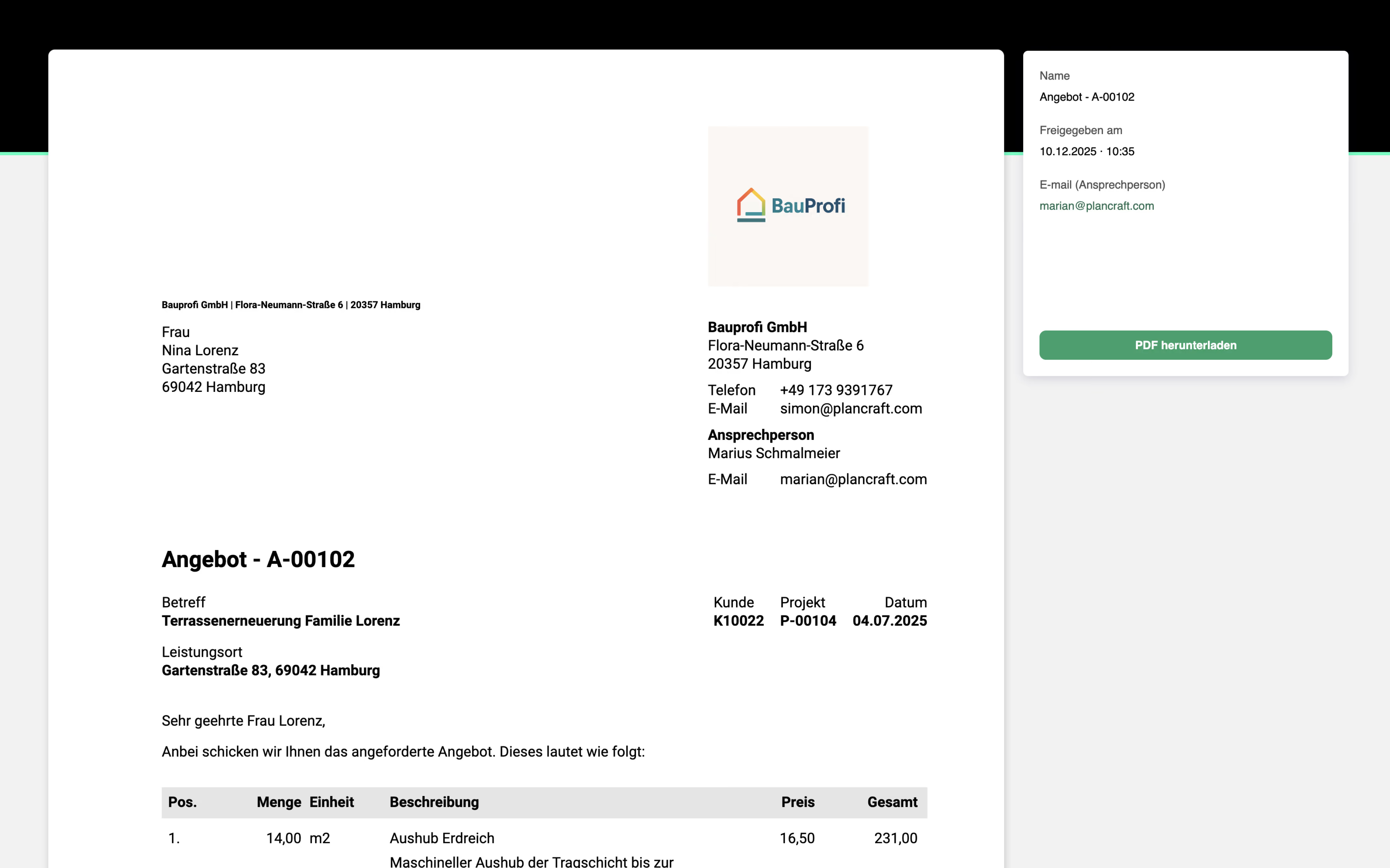
The new delivery status also lets you see exactly when the document was opened by the recipient.

Alternatively, if you prefer not to send the document via plancraft, you can use the "Send via your own email program" option. This will automatically open a new email and download the document, which you can then simply attach to the email.
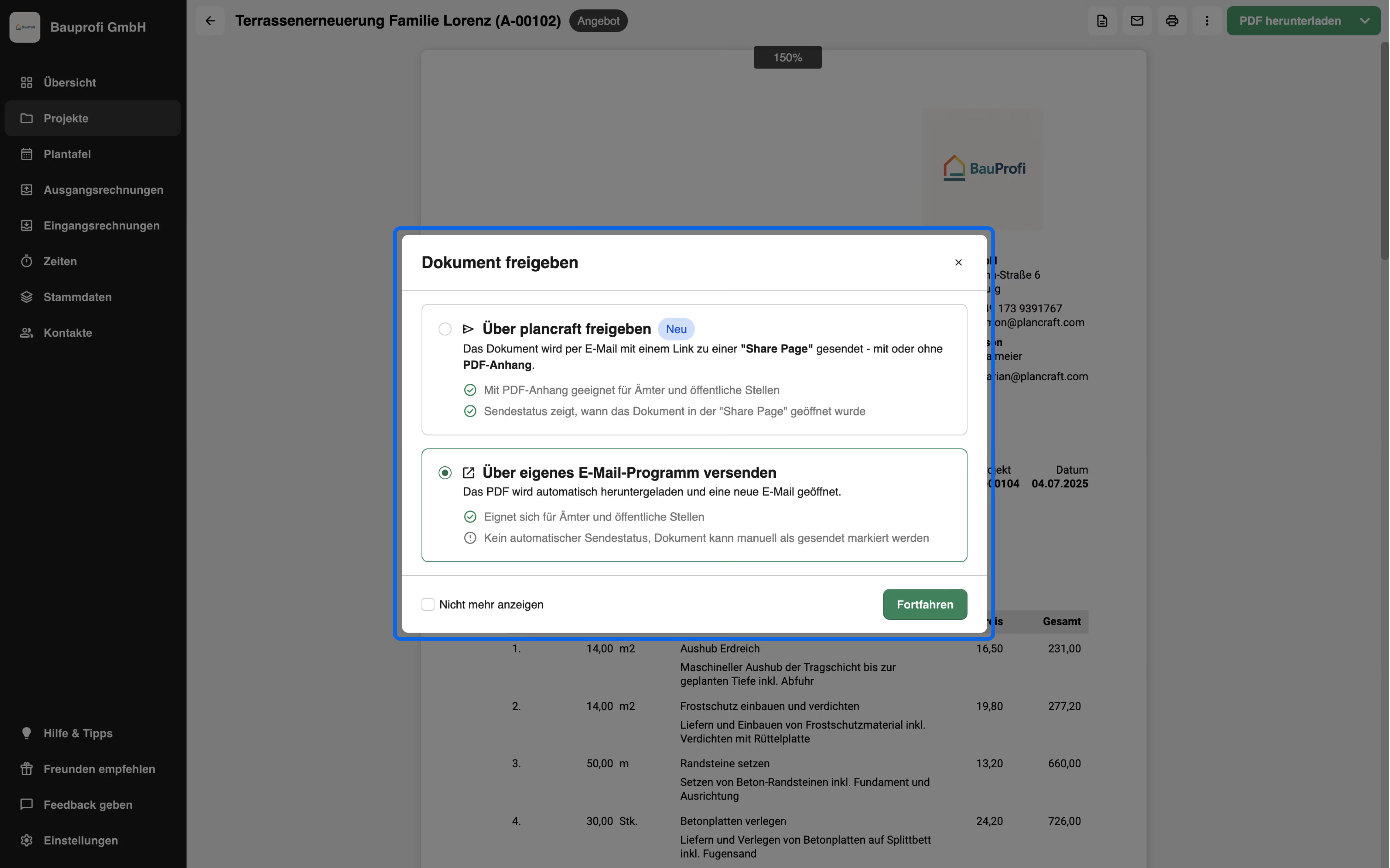
You can find more information on this and a step-by-step guide here in our help article.
Incoming invoices: Payment status 💵
You can now set the payment status for your incoming invoices. You can update the status at any time in the invoice overview, allowing you to see at a glance which invoices have already been paid.
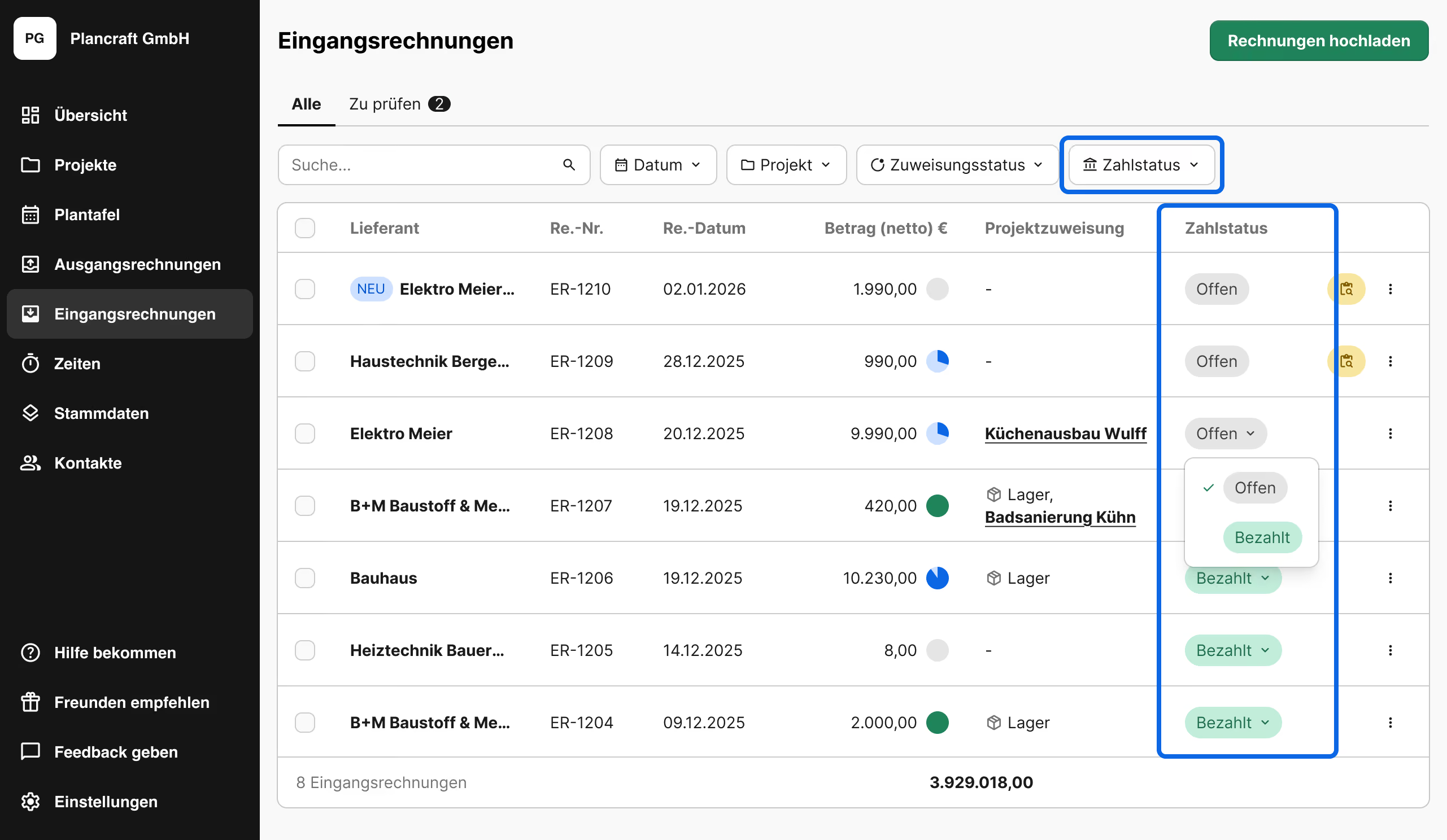
You can find more information about incoming invoices here in our help article.
Improvements in the mobile app 📱
Recording time for multiple people
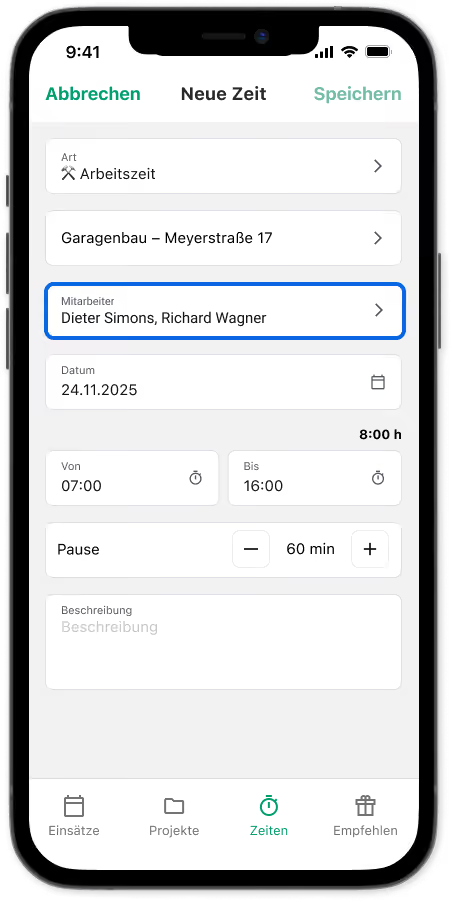
Employees with the "Mobile Team Lead," "Admin," or "Office" role can now record working and travel time for other team members directly in the mobile app.
Recording works as usual—either via "Times" or directly via "Assignments." Additionally, the mobile team lead can easily select other people assigned to the project and log time for them as well.
Schedule vacation and time off up to two years in advance
To make your vacation planning even easier, you can now request or enter time off up to two years in advance in the mobile app.
This allows you to plan your vacation through 2027 starting today – conveniently and proactively.

