


July 2025 updates
Key changes
1. New Dashboard 🗺️
We’ve overhauled the dashboard! You can now find detailed information and new features – for example, a weather display for better daily planning or a to-do listto keep track of your tasks at all times.
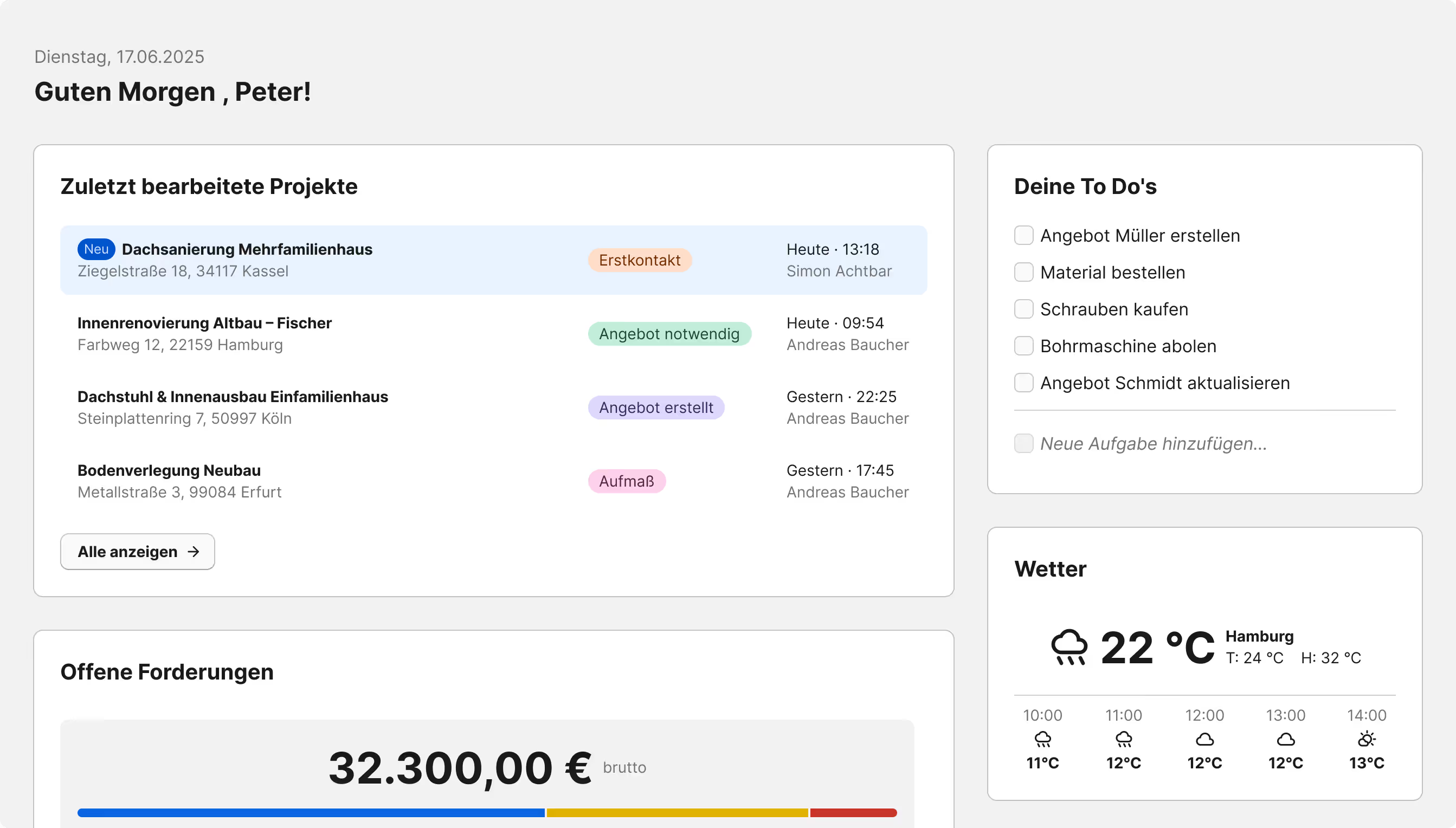
Customize your dashboard to suit your needs
Using the "Customize" button, you can easily tailor the dashboard to your preferences:
Show or hide individual widgets and decide their orderyourself.
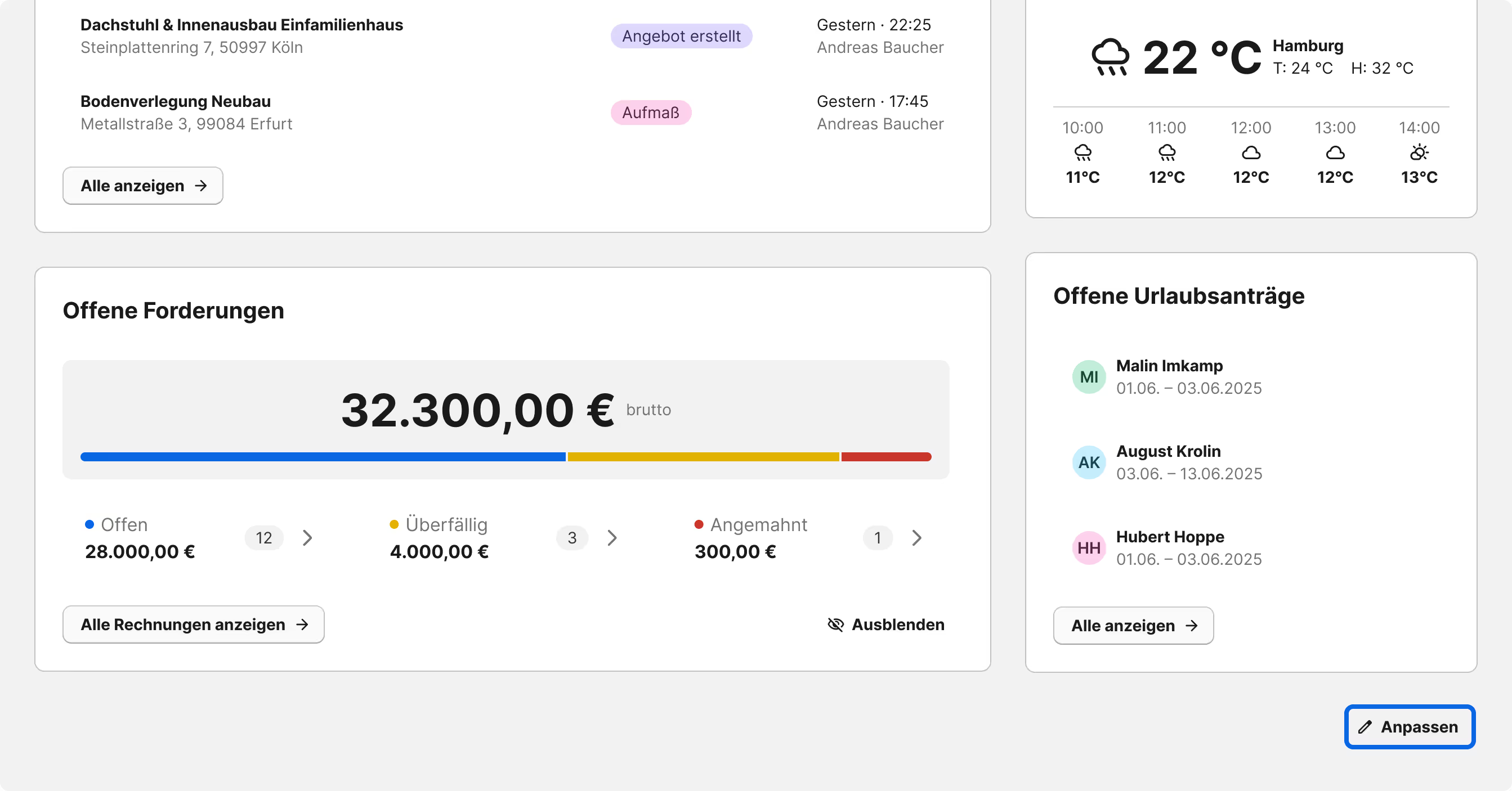
You can also configure individual widgets – for example, in the overview of open invoices, where you can hide the figures to keep sensitive information privatein certain situations.
2. Create invoices from reports 💸
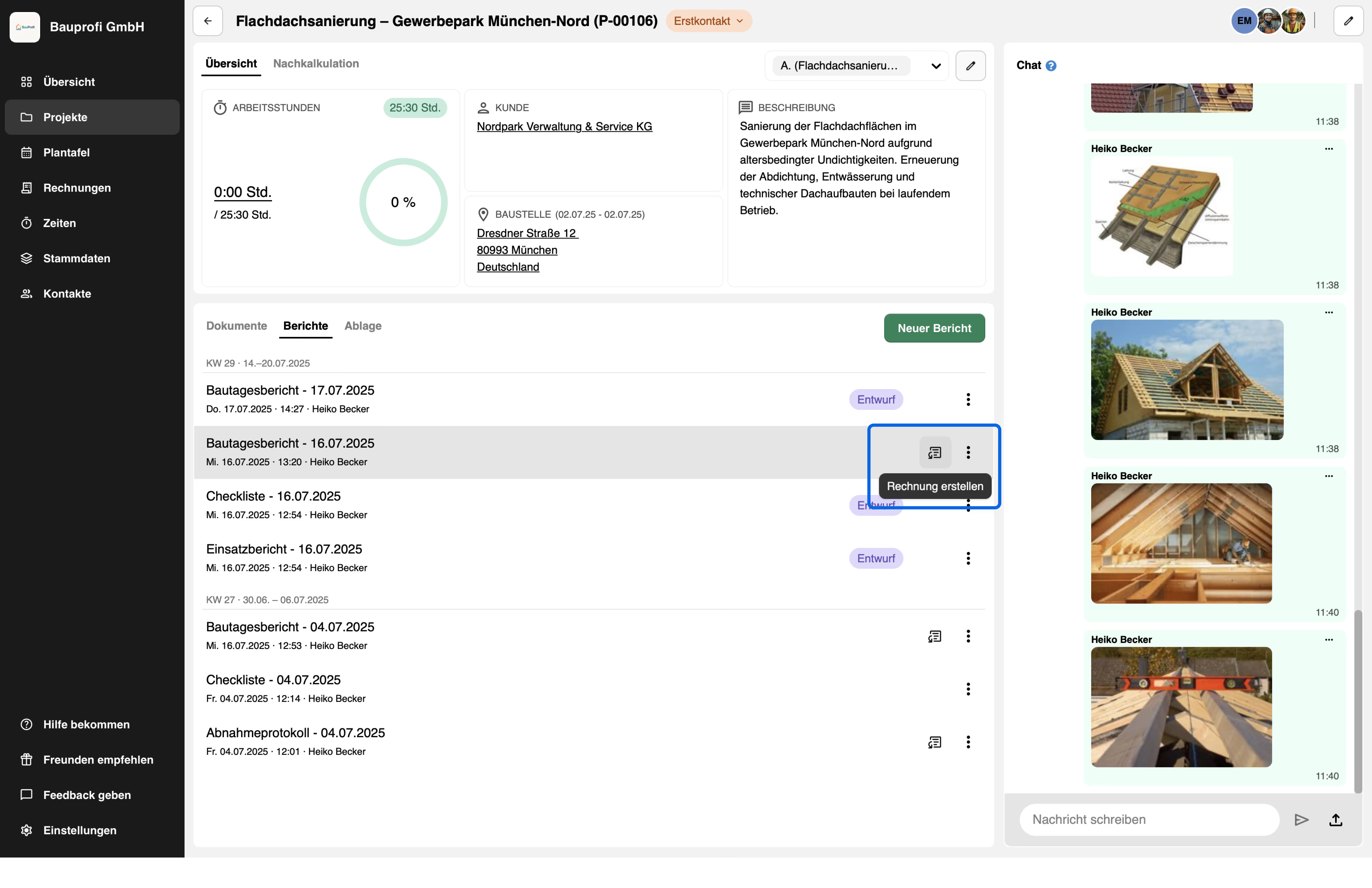
You can now create an invoice from a report with just a few clicks. For completed reports with a labor, material, and service table , a new icon appears on the report page and in the report list.
Clicking the button opens an overview of all items entered in the report. As in the report itself, the items are grouped by hourly work, materials, and services.
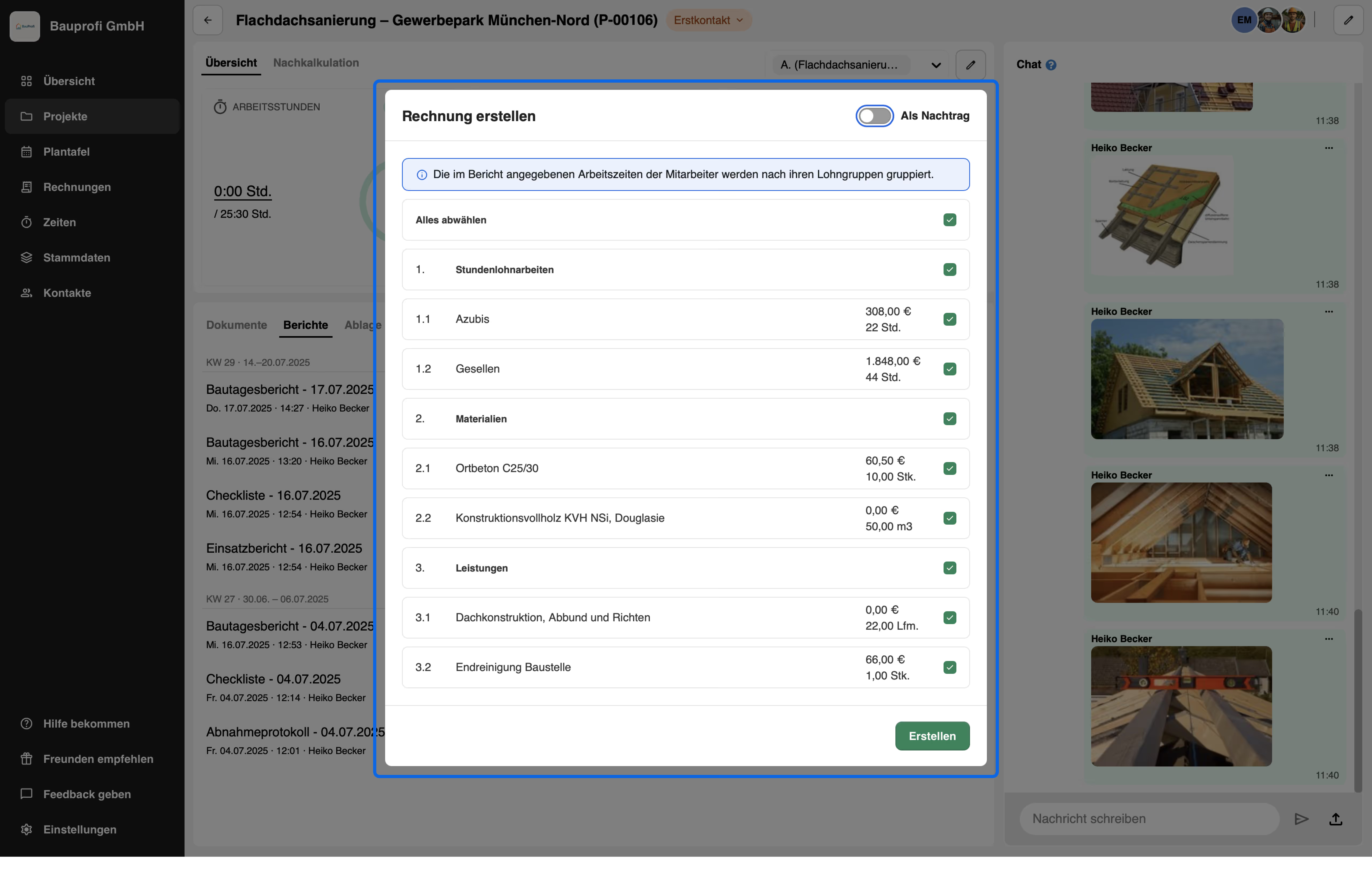
Using the checkboxes , you can deselect entire sections or individual itemsif you do not want to include them in the invoice. By clicking on Create the invoice is generated - including calculations, provided that data from the master data or wage groups has been stored. Of course, you can still edit the invoice as usual in edit mode.
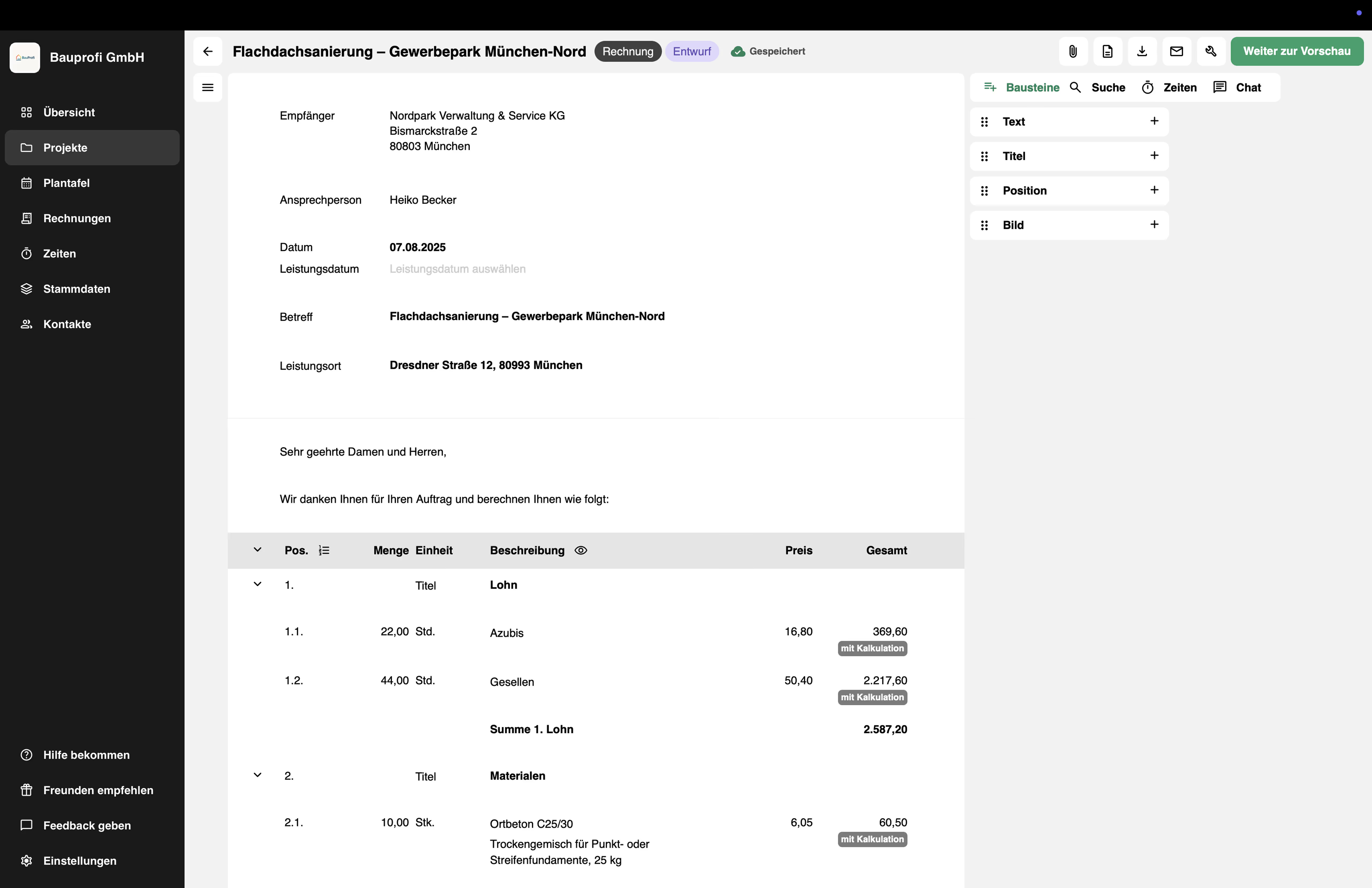
For more information on how to make the best use of reports to create invoices, please see our help article here.
3. Digital training logs for apprenticeship companies 🧑🎓
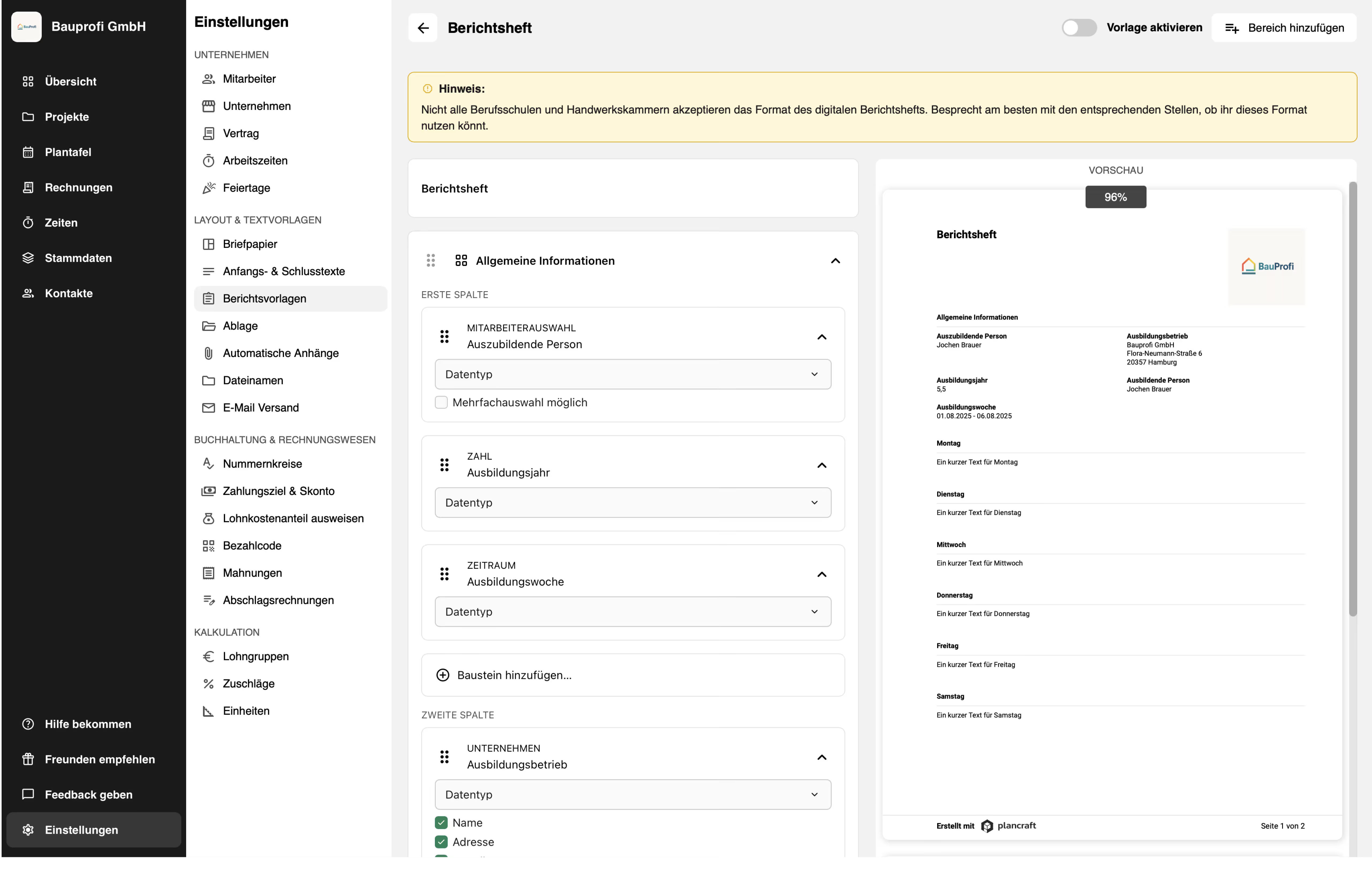
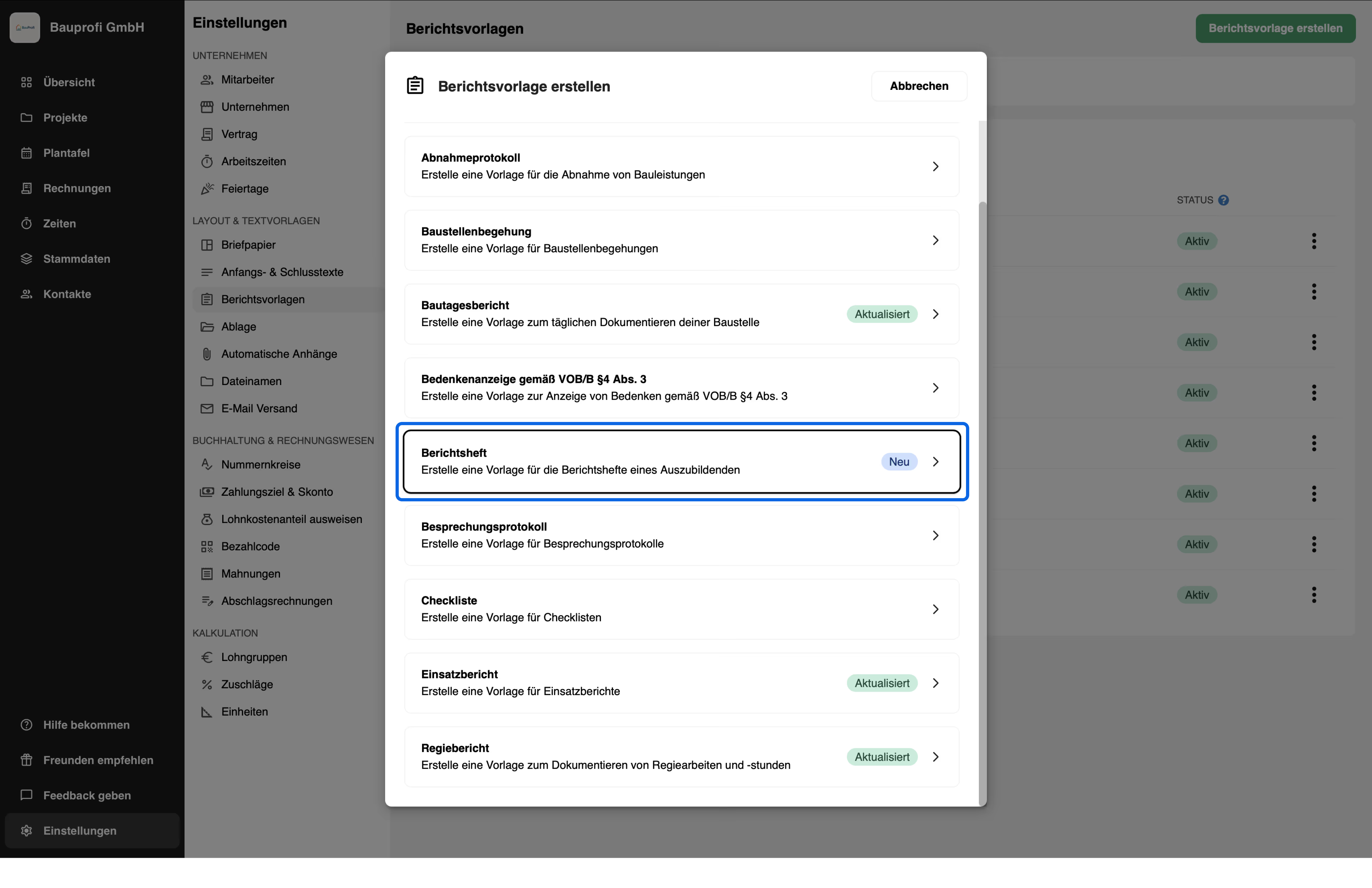
Make it even easier for you and your apprentices to keep training logs: Select our new report template for training logs and activate it.
With the digital training log in plancraft, your apprentices can from anywhere add their notes and sign them.
As a training company, you have an overview of the status of each individual training record and can view and sign them.
You can find more information about training records and a recommendation on how to set them up in plancraft in our help article here.
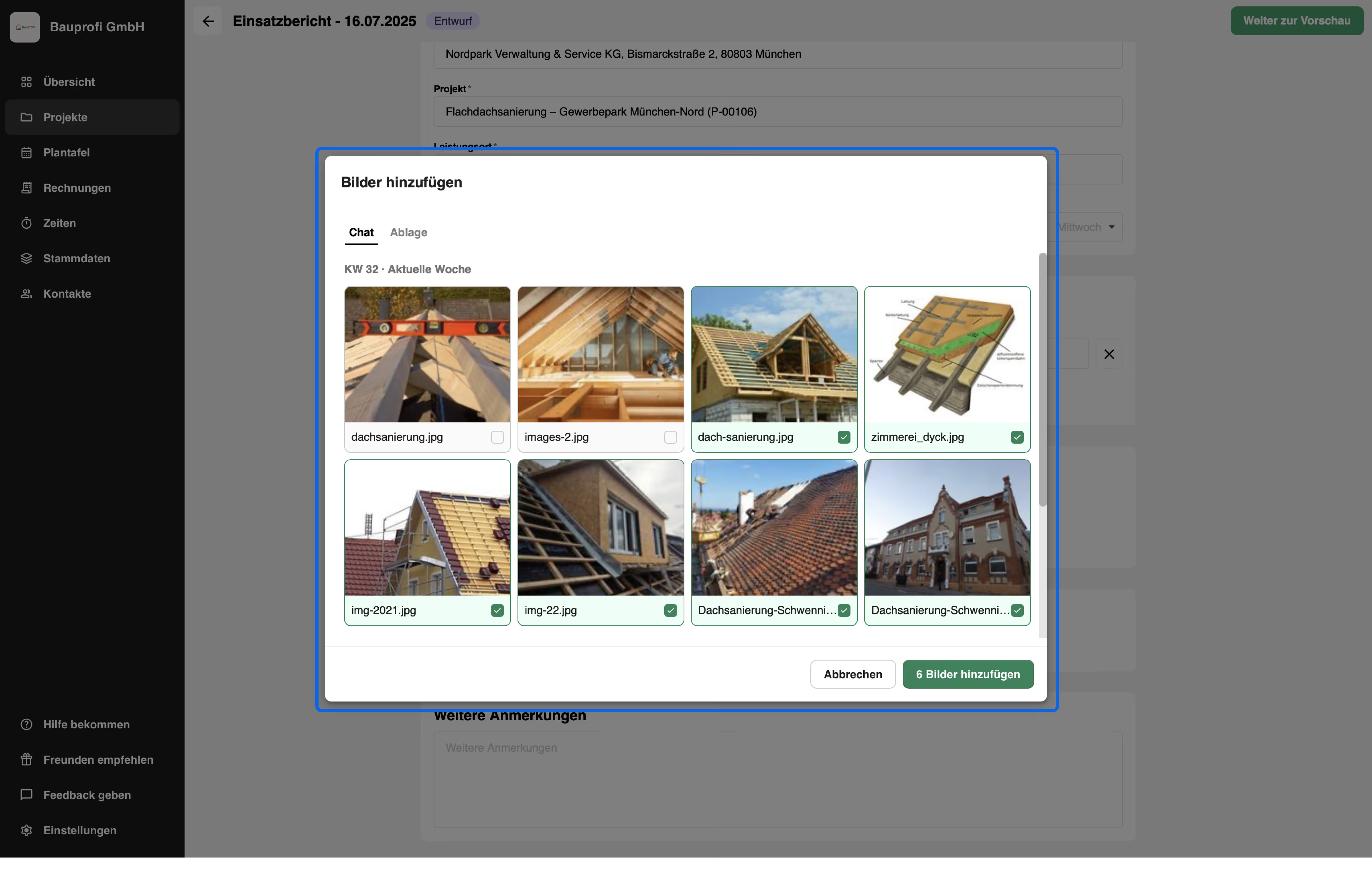
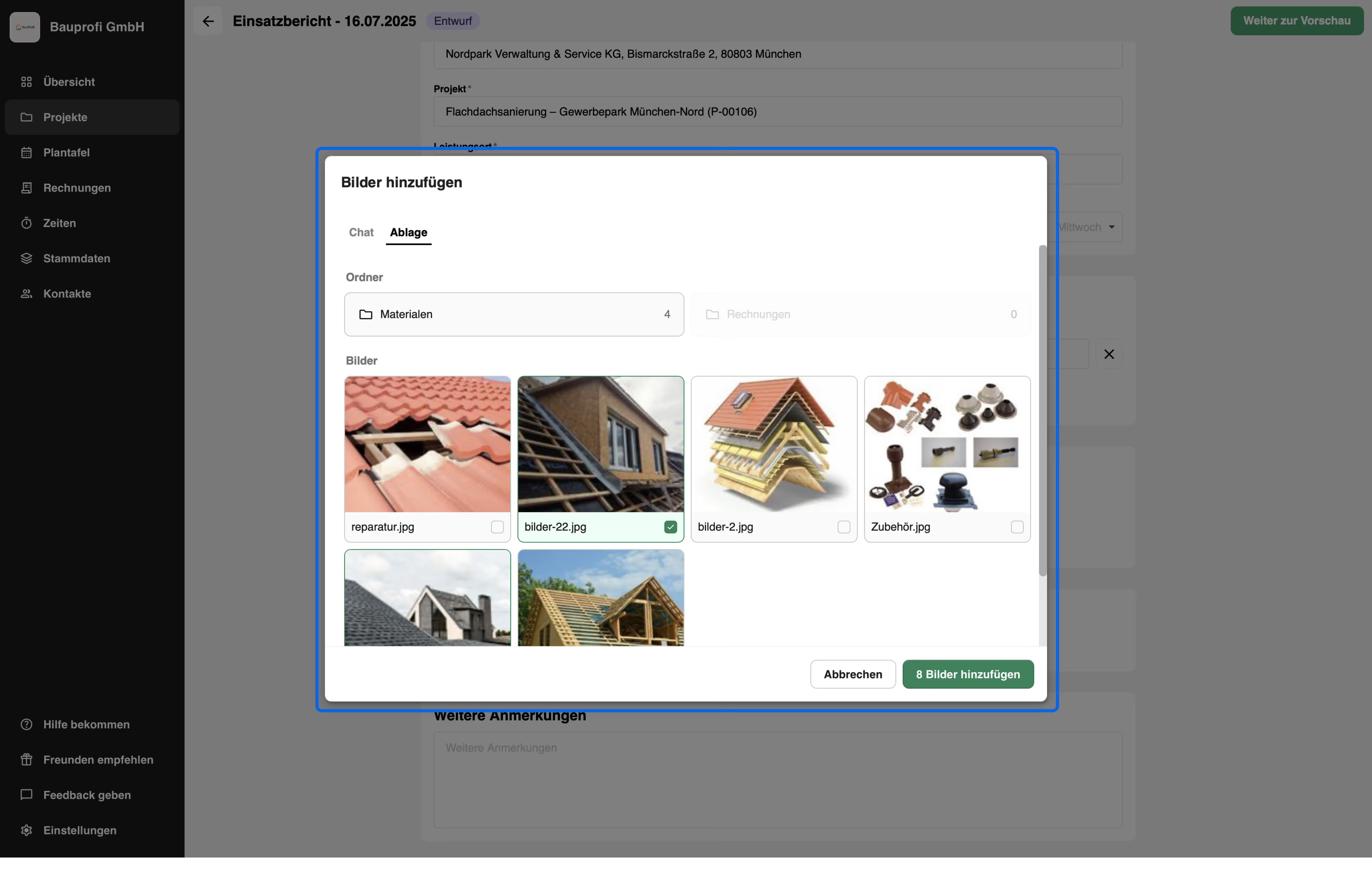
4. Insert images from chat and storage into reports 🖼️
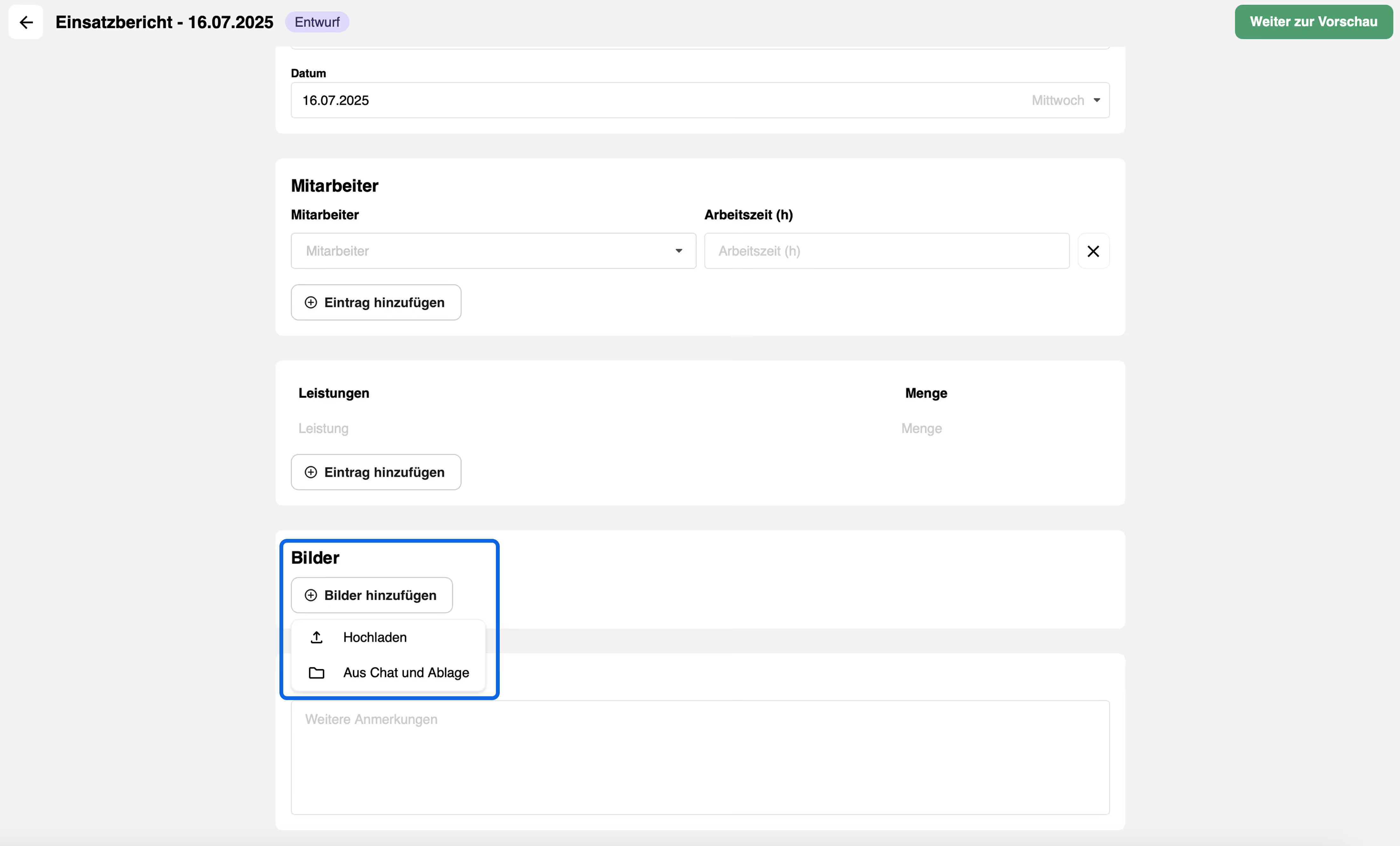
You can now also insert images from your chat or storage directly into your reports.
Simply select them via a modal, add them to the report, and add descriptions as usual if needed.
5. Insert images exactly where you need them in your documents 🖼️
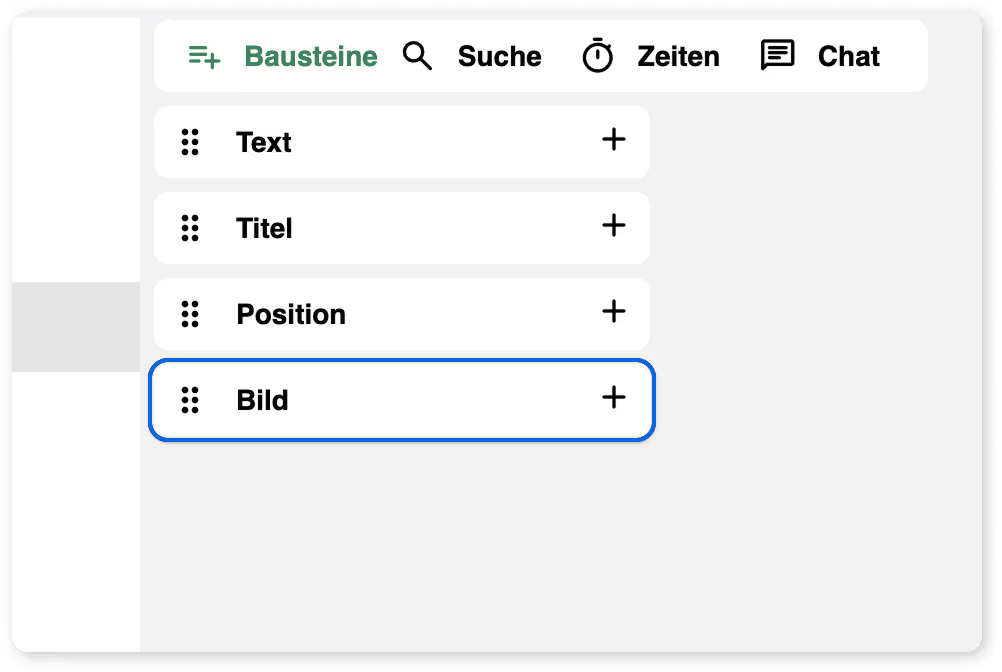
You can now integrate images into your documents with even more flexibility:
Drag and drop images as a separate image block anywhere in the document – above, below, or directly into the item table.
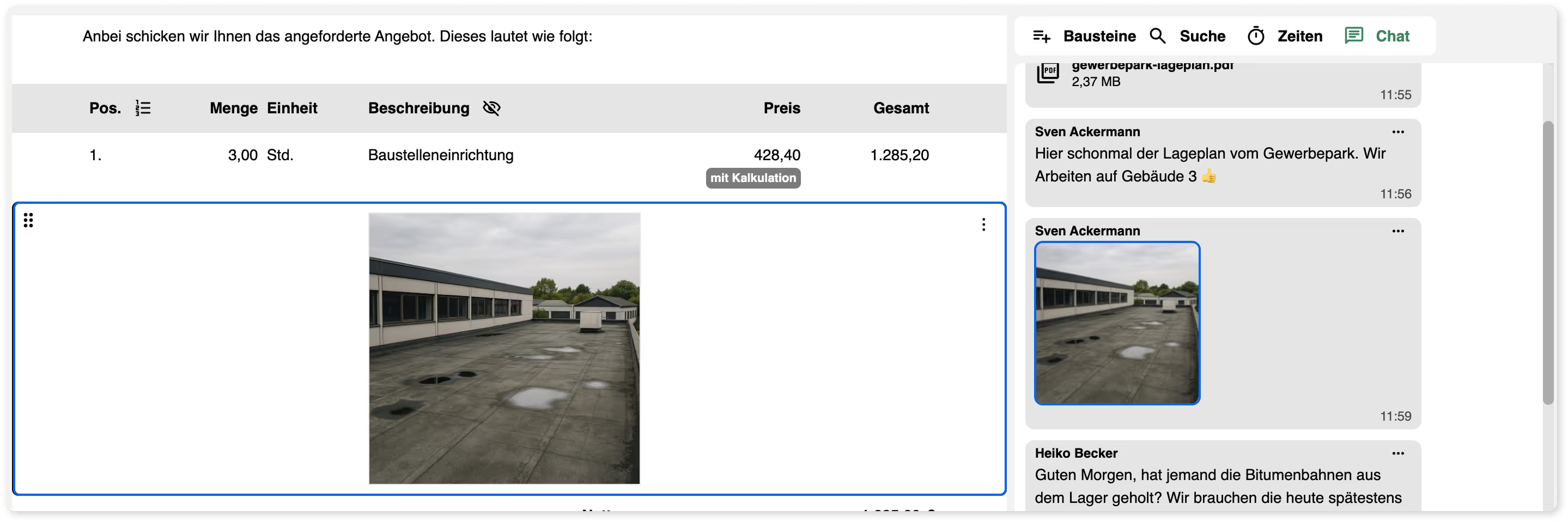
Images from the chat can be easily dragged and dropped into the document – either as a block or directly into a specific position.
6. Default folder structure for storage 📁
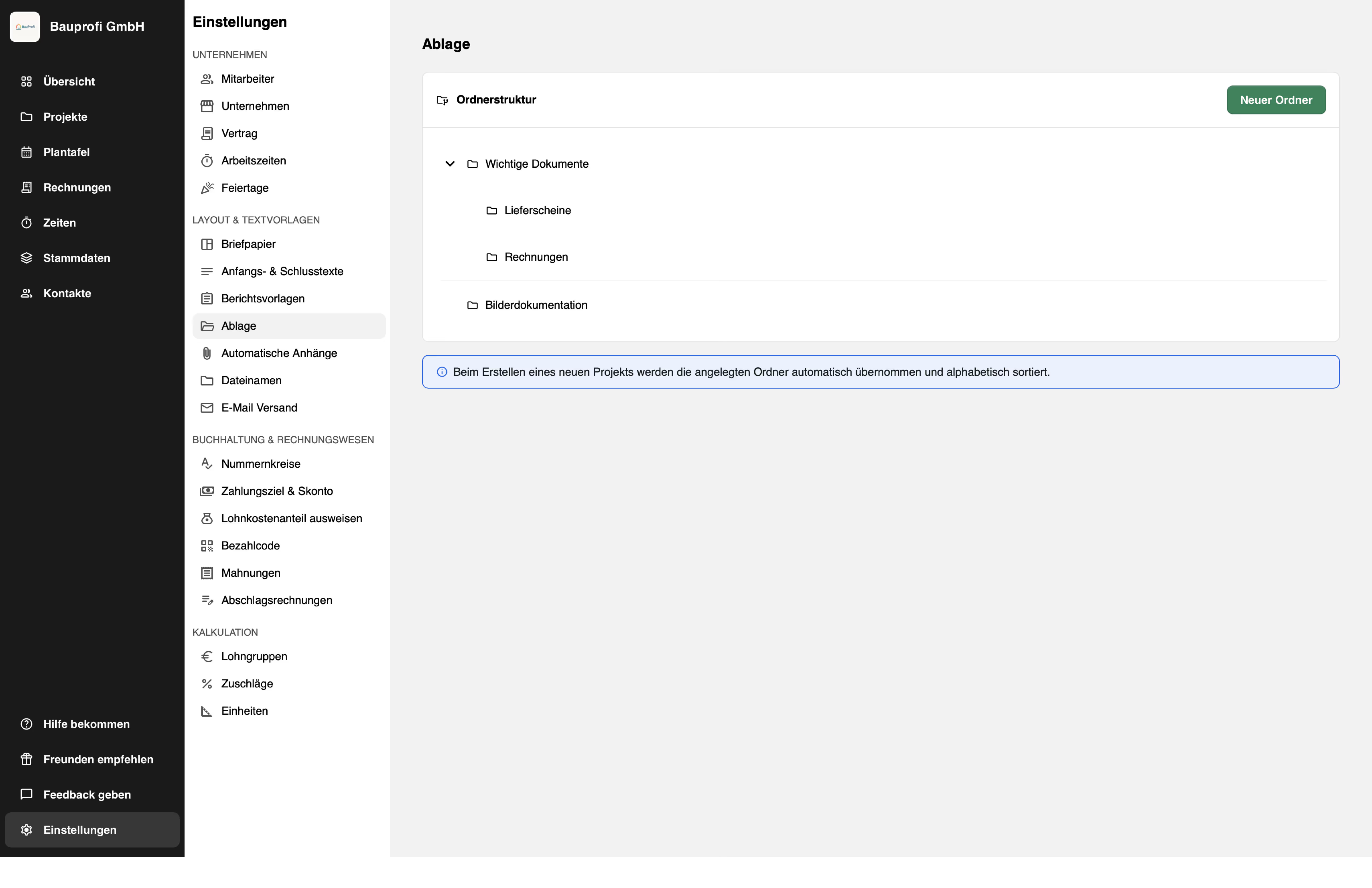
If you create the same folder structure for every project, we have good news for you: you can now set a default folder structure for storage in the settings.
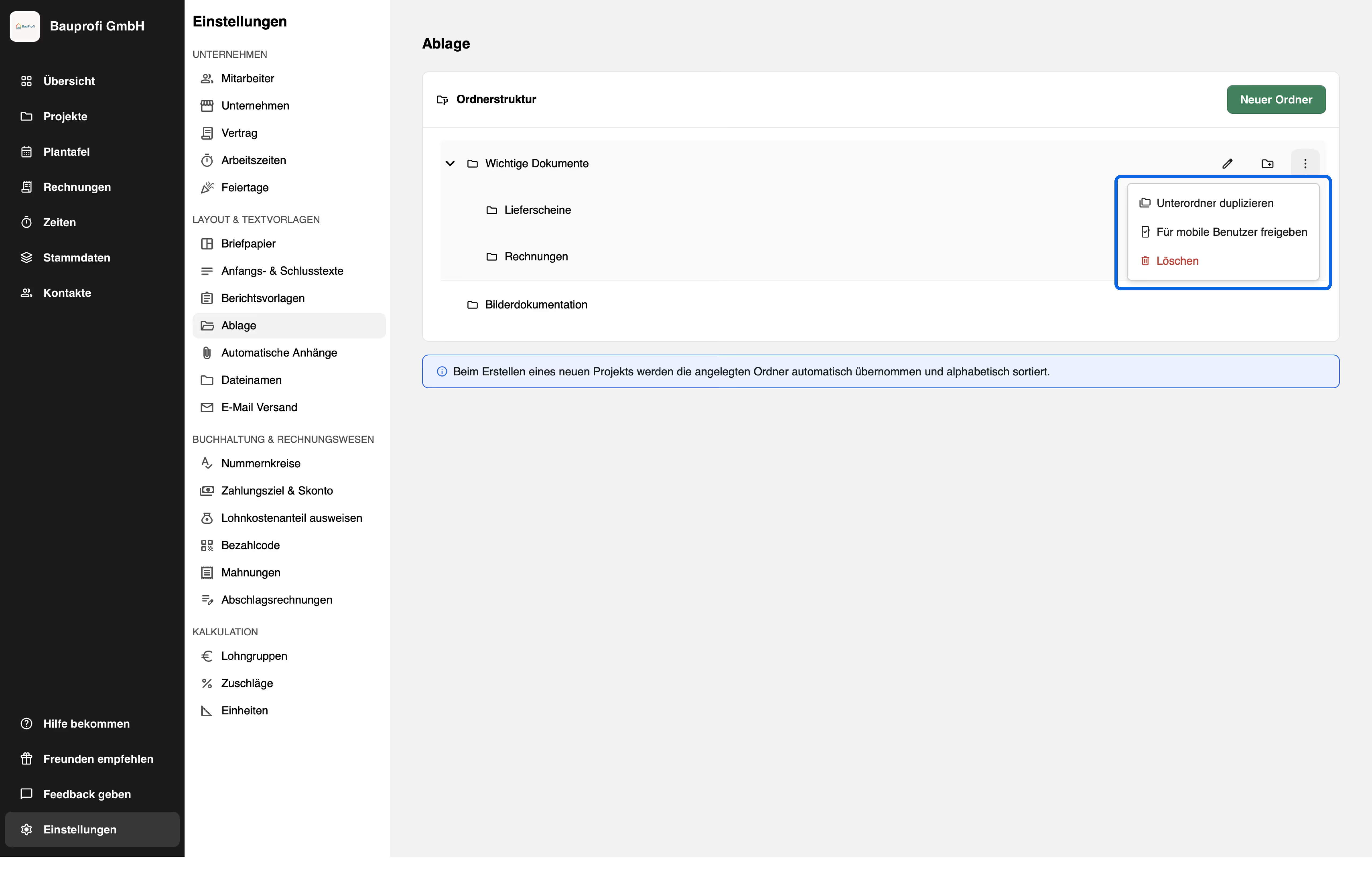
To do this, simply navigate in the settings to the "Storage" section and click on "New folder". You can also create subfolders, rename, duplicate, share with mobile users, and delete folders here.
The folder structure is saved automatically and applied to every newly created project.
7. Managing leave requests 🌴
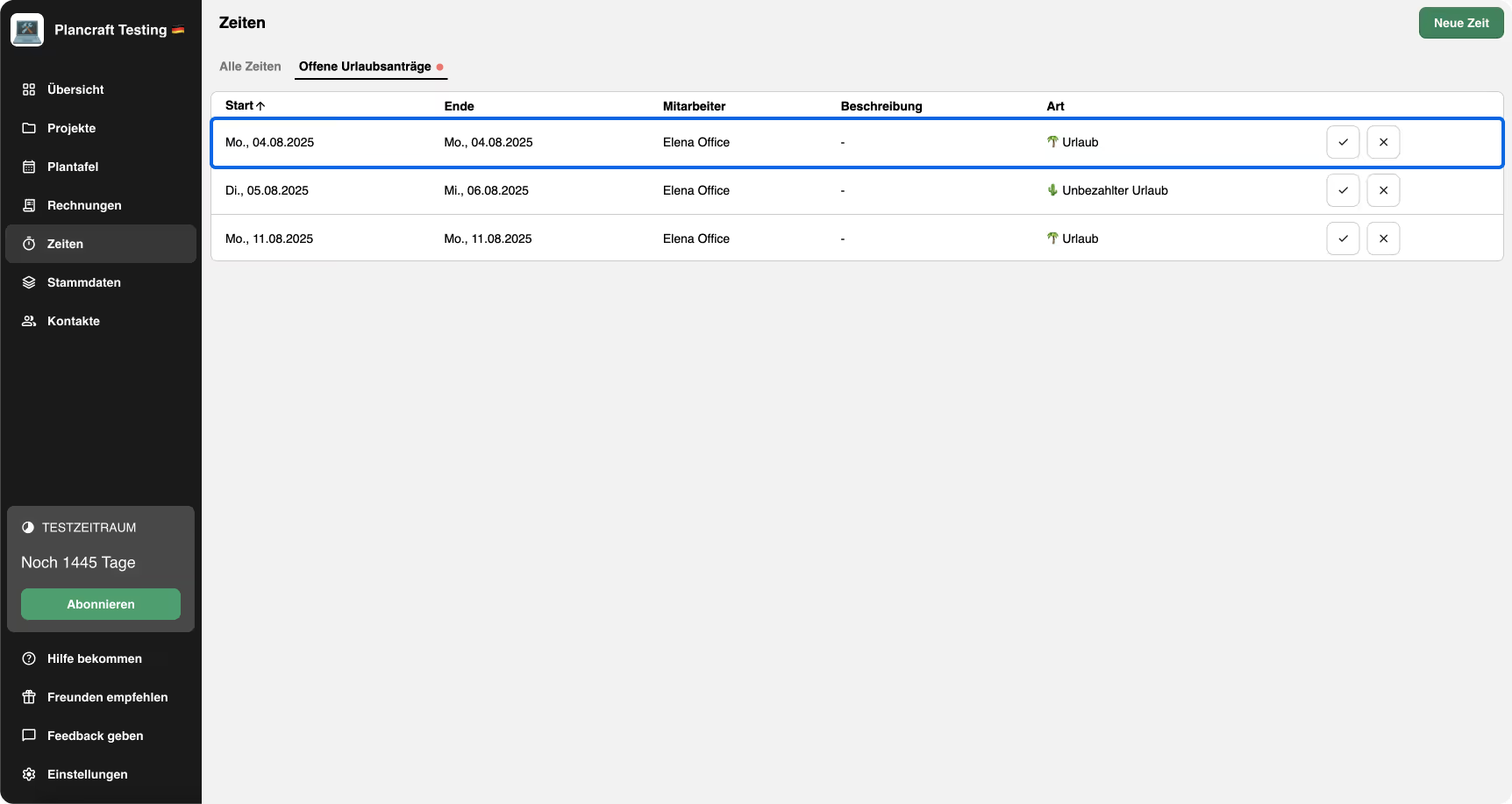
Last month, we introduced the new "Leave Requests" feature. Since then, you have been able to easily approve or decline requests – and submit leave requests both from the office and on the go.
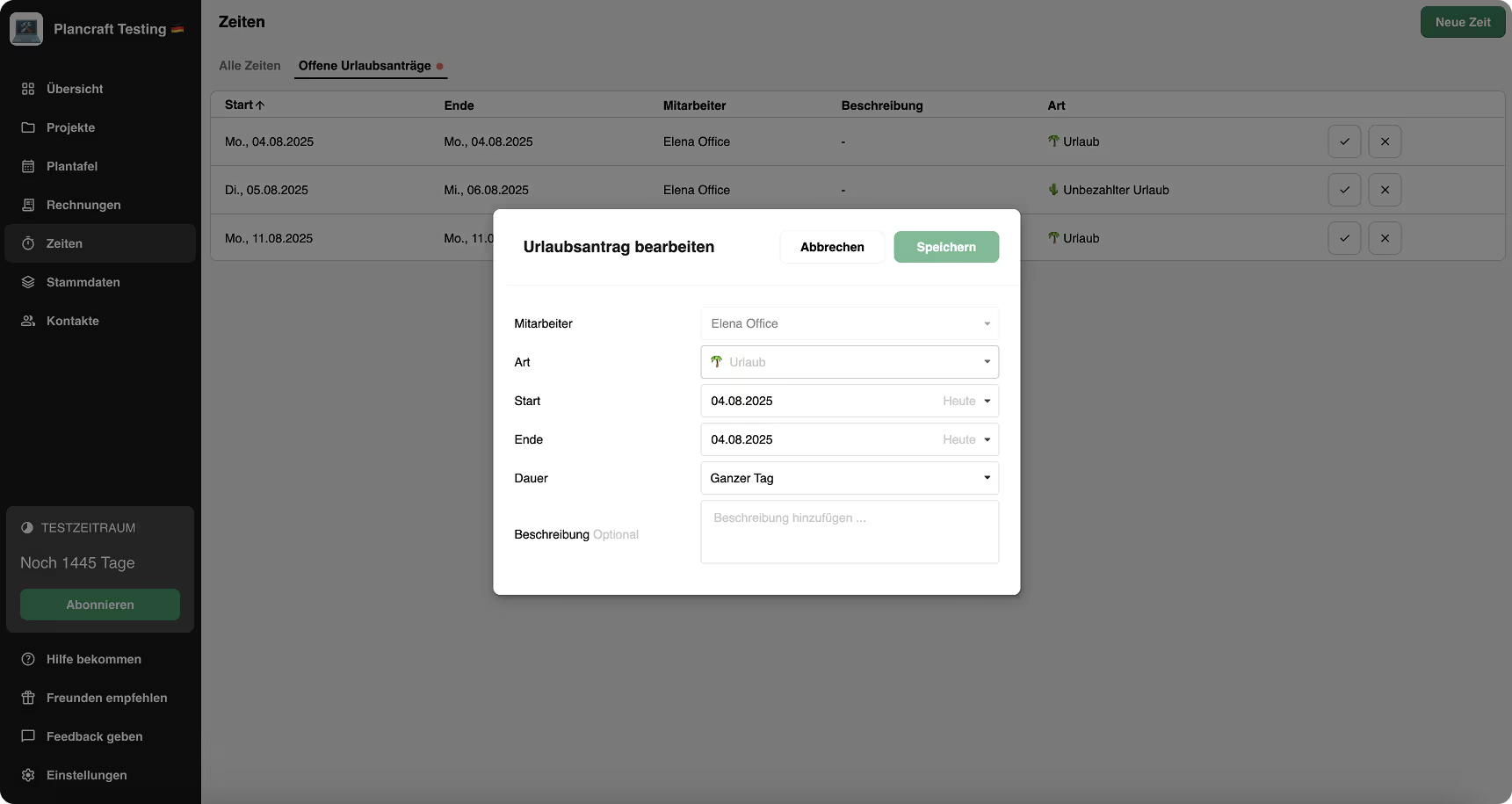
Starting now, there is a small but helpful enhancement: you can now click on a request and edit it directly in the web app. This gives you even more flexibility and a better overview when planning leave.
Improvements in the mobile app
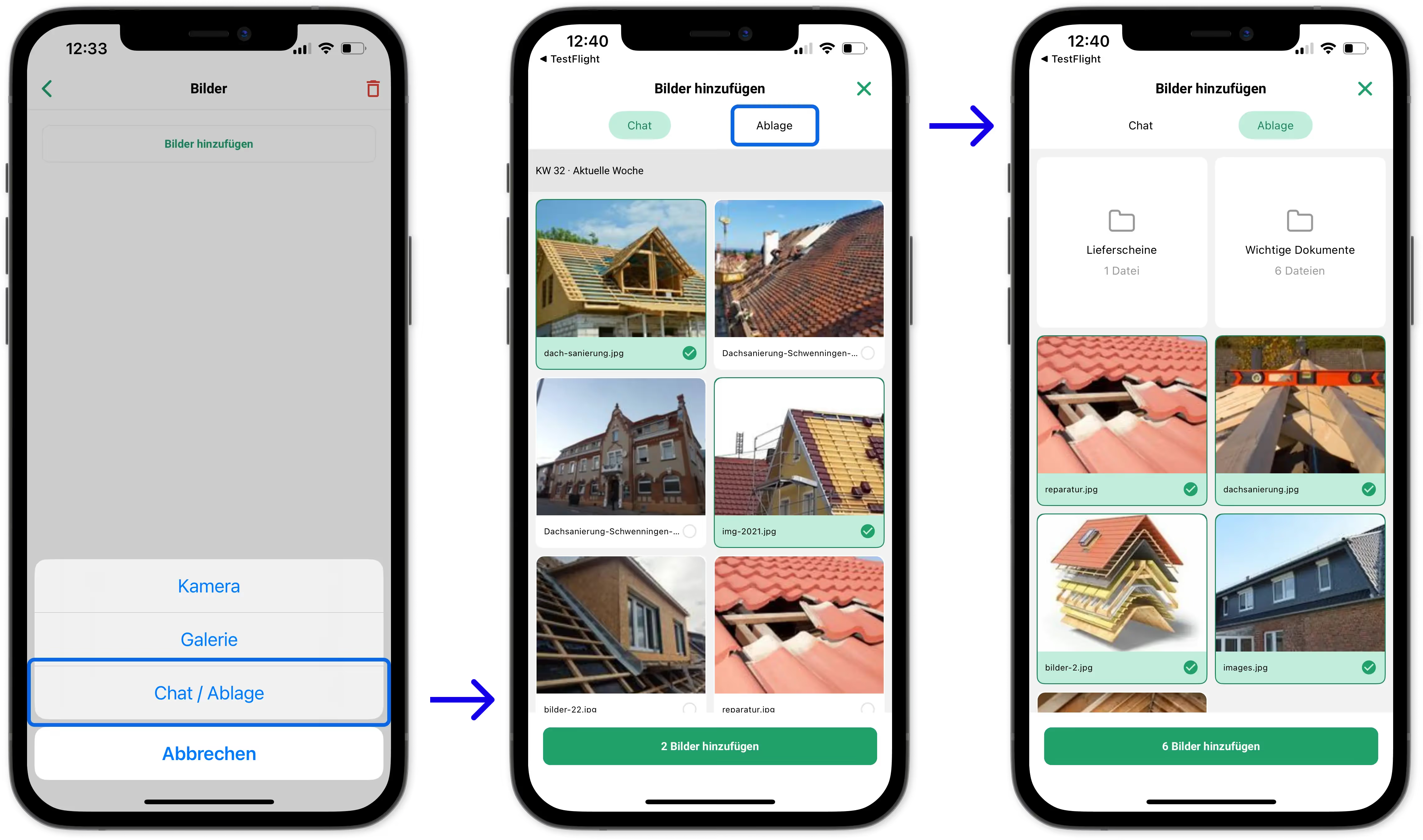
1. Insert images from chat and storage into reports 🖼️
You can now also insert images from chat or storage into reports within the mobile app.
Simply select them via a modal, add them to the report, and add descriptions as usual if needed.
/

